Describe the scene, then drag the finished image onto your virtual tabletop. It takes under a minute and needs no conversion.
A VTT map maker (also searched as a virtual tabletop map generator or an online battle map creator) produces maps for virtual tabletops such as Roll20, Foundry VTT, and Owlbear Rodeo. NeedAMap turns a written description into a gridless top-down image at 1K, 2K, or 4K, which every major VTT imports as a plain image and overlays with its own grid.
This is the scene image that sits on your map layer. The VTT still owns the grid, the walls, the lighting, and the tokens, and that is the right split: Roll20’s grid alignment tool and Foundry’s wall layer work on any image you hand them. Because the map ships without grid lines, you set the square size once in the VTT and nothing on the image fights it.
Maps from the NeedAMap library in three shapes and two resolutions, each with the exact description that made it.
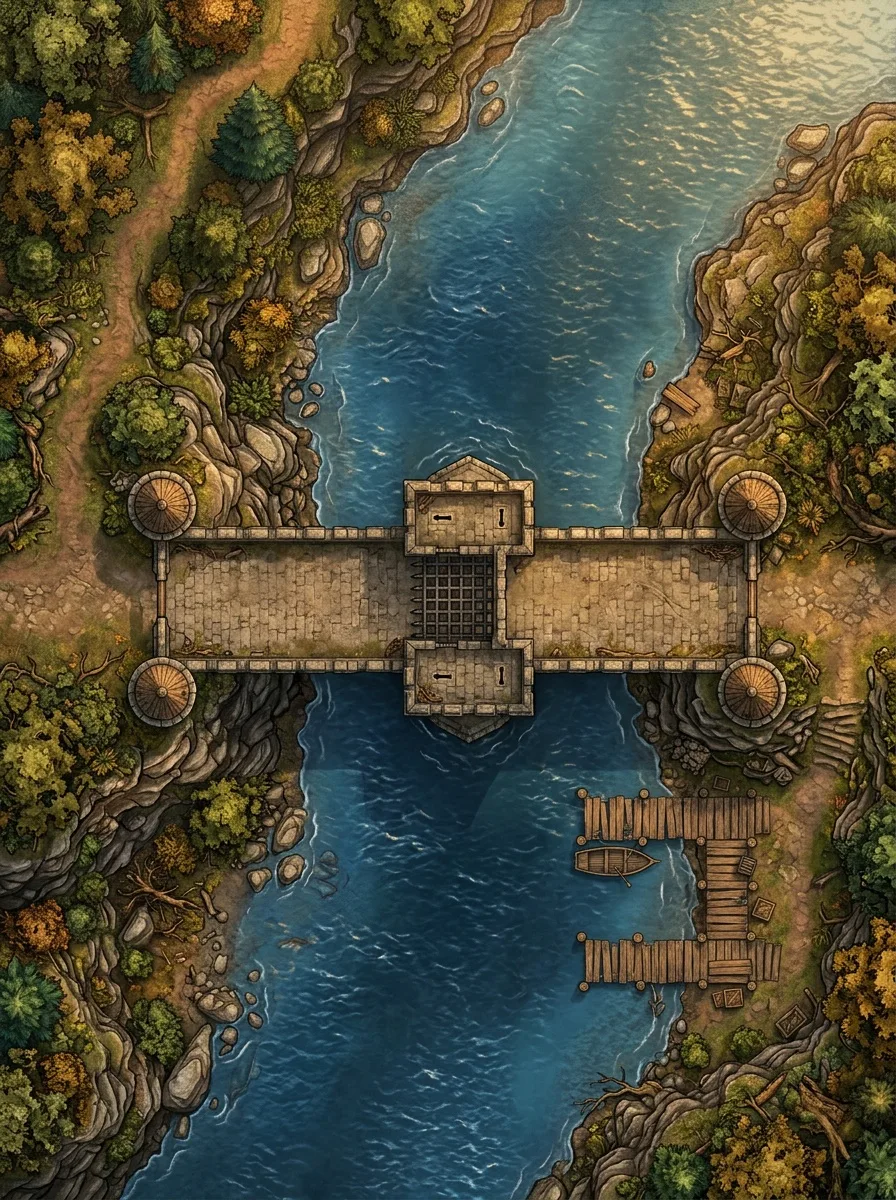
The description
“Top-down battle map of a wide stone bridge spanning a deep river with small guard towers at each end. The bridge has low stone walls on each side providing half-cover, a gatehouse blocks the center with a portcullis, and wooden docks extend from the riverbank below on one side. Late afternoon golden light reflecting off the water, warm stone and blue water tones, fantasy illustration style with rich colors, no characters or creatures present.”
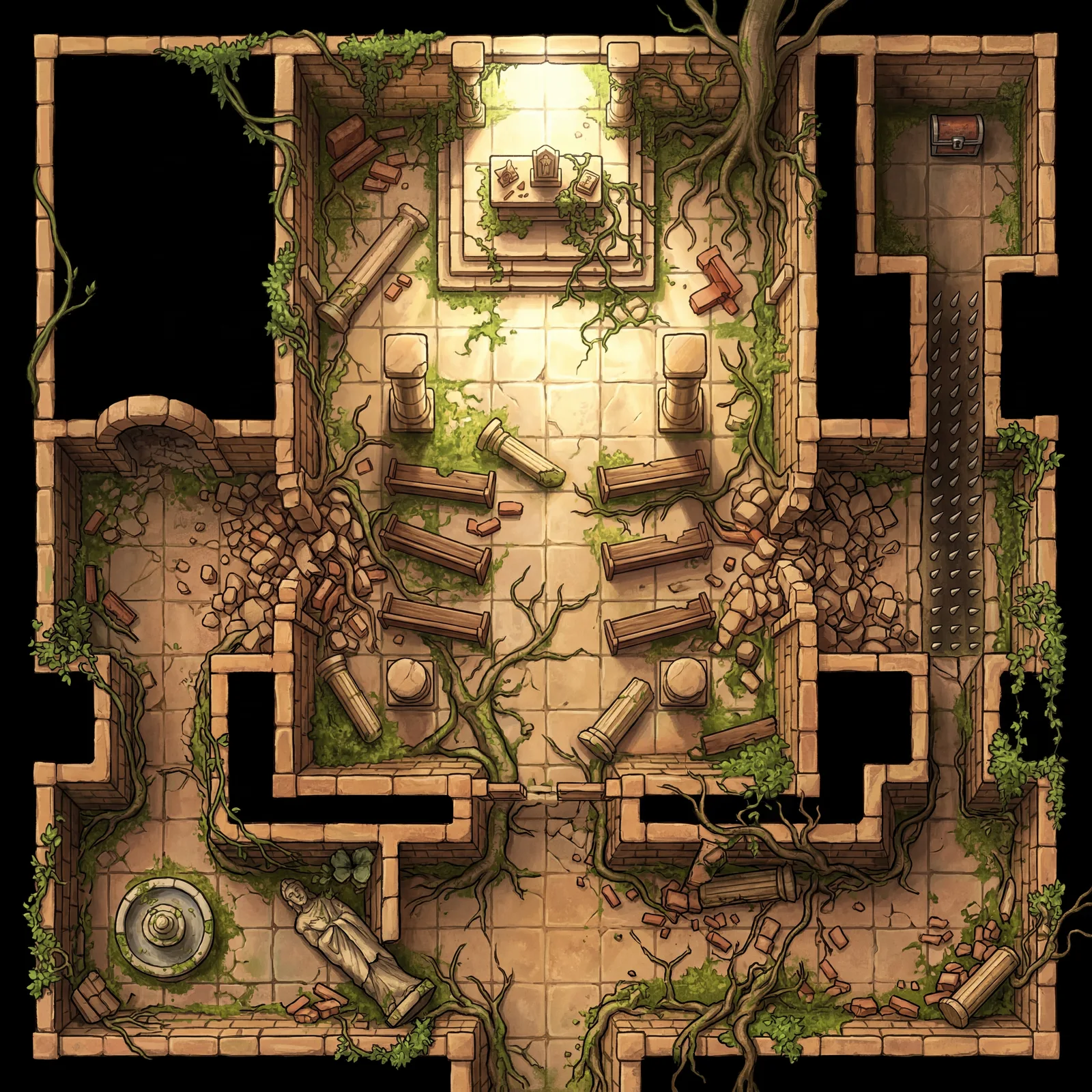
The description
“Overgrown ancient stone temple ruins with 5 connected areas, a central worship hall with four crumbling pillars creating cover positions around a raised stone altar platform in the center, connected by 2 collapsed archways on either side with rubble creating difficult terrain to an antechamber with a dry fountain and fallen statue blocking one path. The other path is a narrow long spike pit separating the smaller room containing a single locked chest, thick vines and tree roots breaking through walls and floor tiles, bright sunlight in the roofless main hall contrasting with dark shadow in the covered rooms, sandstone and green vegetation”
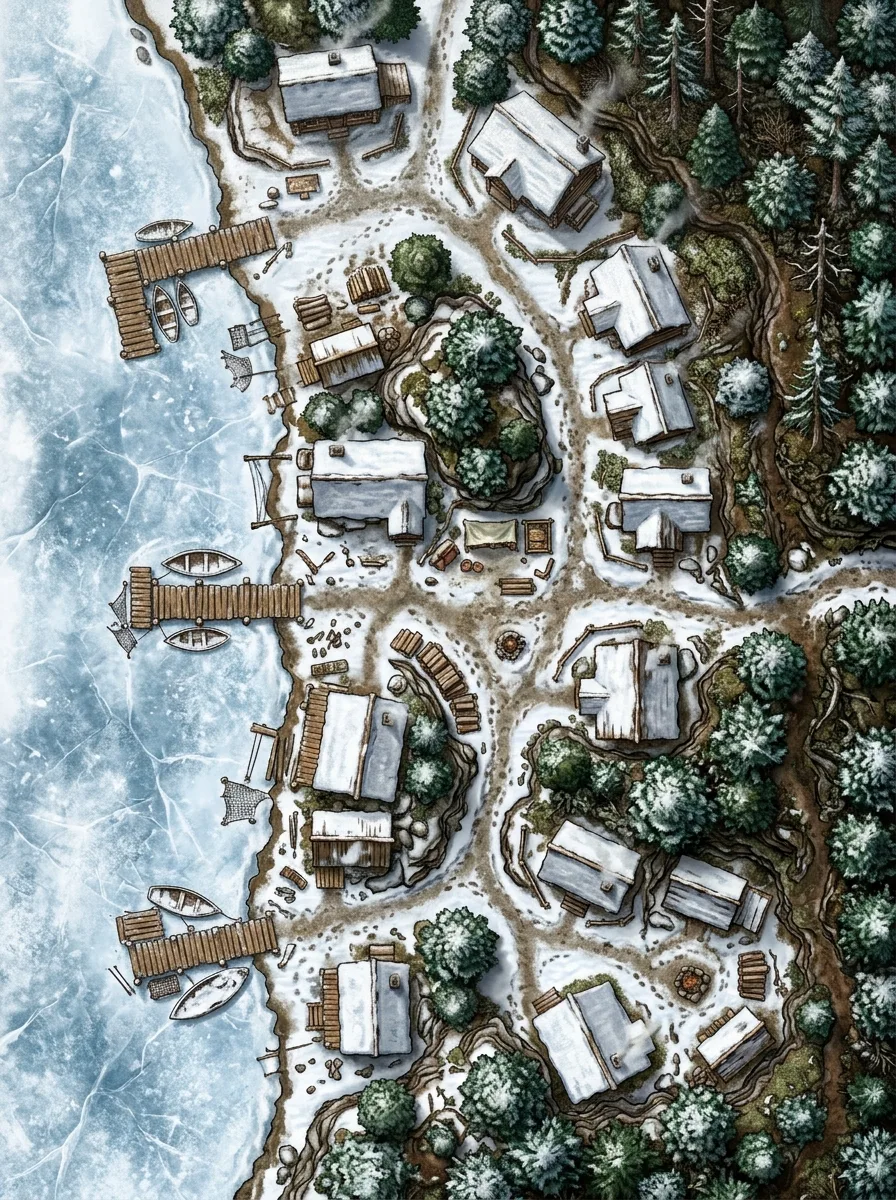
The description
“Top-down fantasy town map, small fishing village on a frozen lakeshore, wooden docks, snow-covered cabins, winding paths, pine forest along the eastern edge, frozen lake to the west”
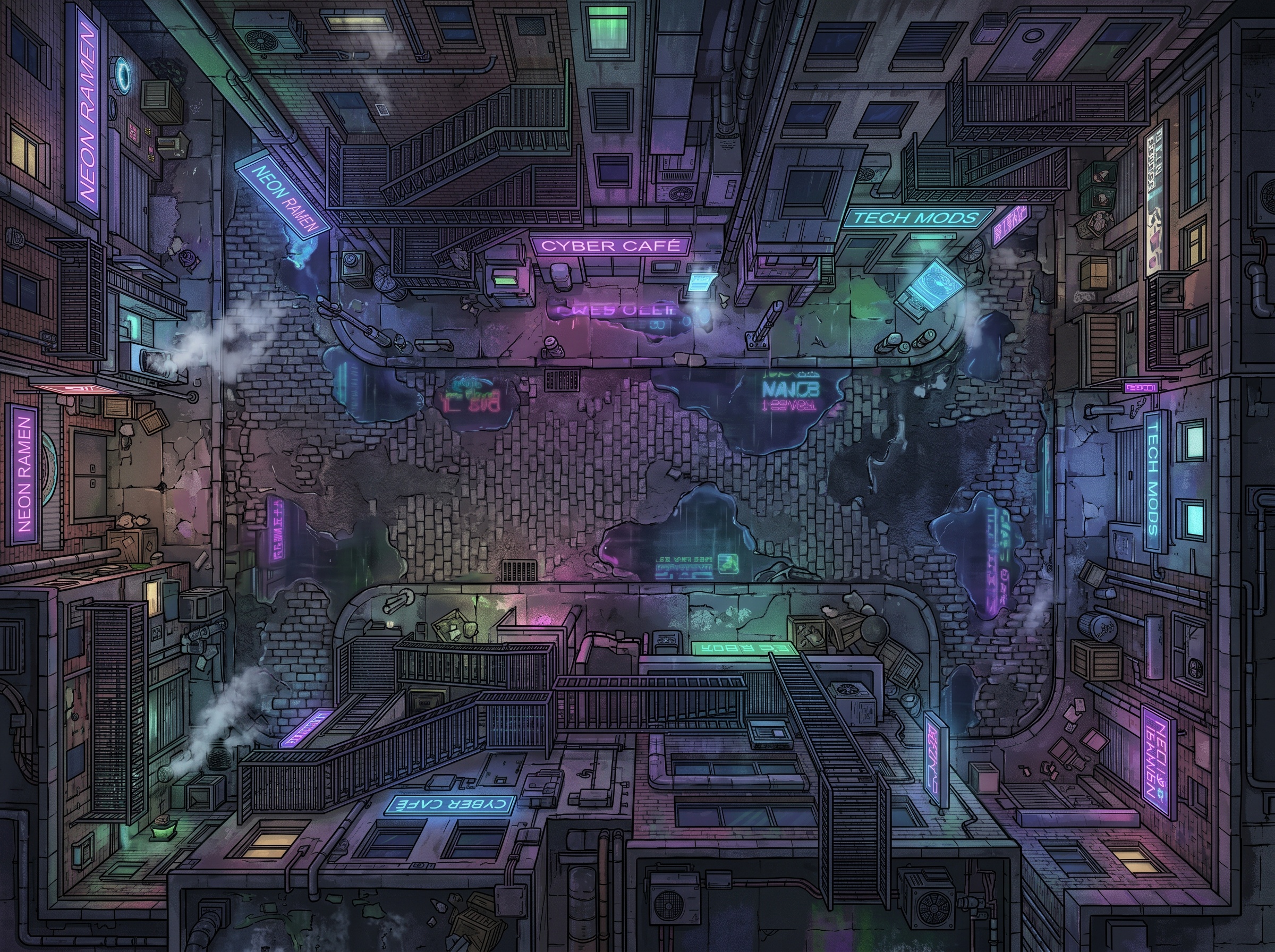
The description
“Cyberpunk alley at night, neon reflections in puddles, fire escapes, steam, futuristic technology”
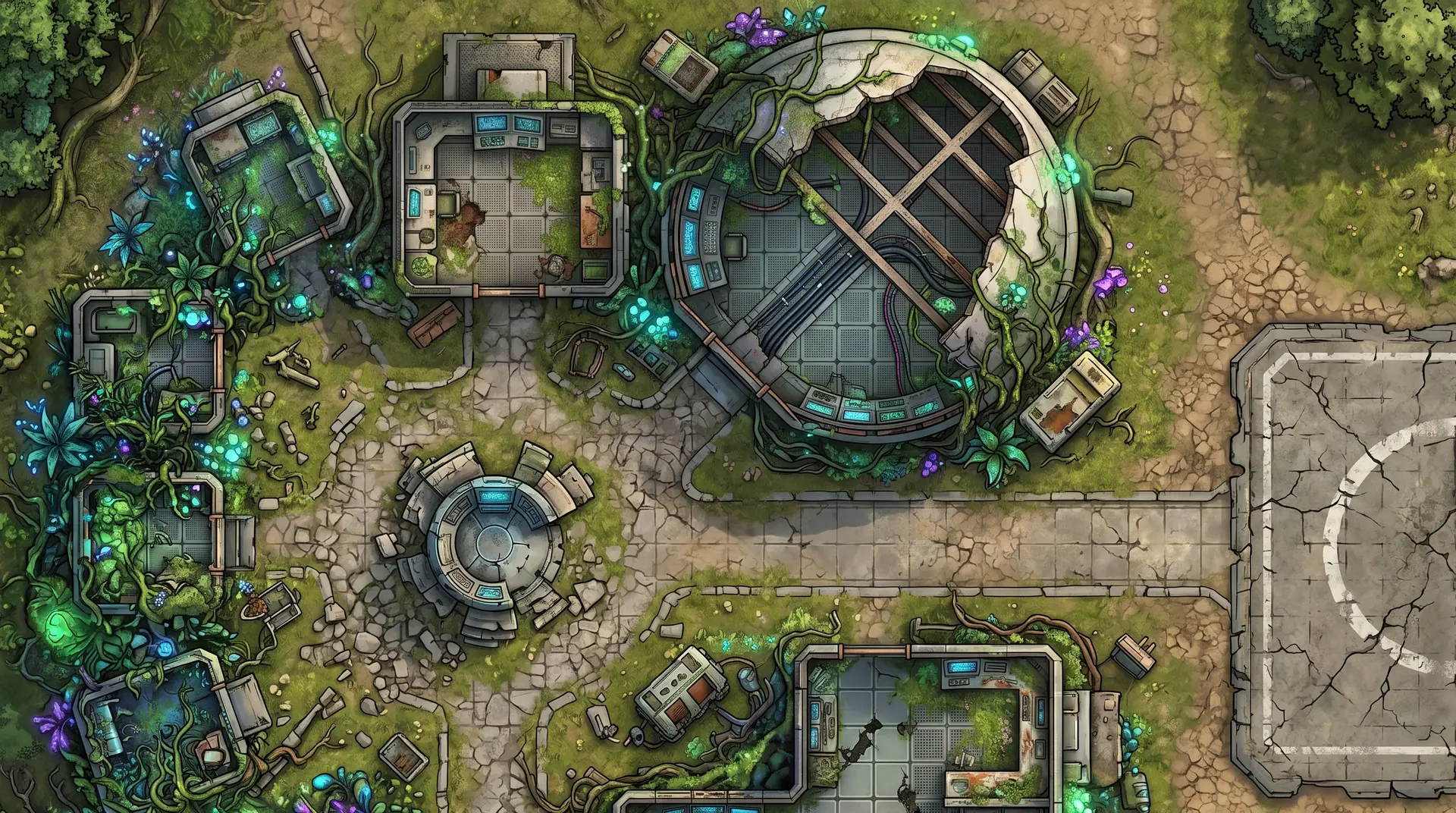
Roll20 draws 70 pixels per square by default and recommends 140 for maps that hold up when players zoom in. A 2K map at about 14 squares wide gives roughly 146 pixels per square. 1K lands near the default and is fine for quick prep.
A corridor fight or a street chase wants a Wide map, a tower or a bridge wants Tall, a single room sits in Square, and set pieces get the Cinematic ratio. Set the VTT page to match and the map fills it edge to edge.
No grid lines are baked into the image. Every major VTT overlays its own grid, so alignment is a single setting in the VTT and the image never argues with it.
The map sits on the map layer like any imported image. Draw walls, doors, and light sources on your VTT’s lighting layer over it, the same way you would for any map.
Fantasy, sci-fi, horror, western, and modern all come out at the same scale and the same top-down angle, so a campaign that jumps genres keeps one import routine.
4K gives print-quality detail for the nights you play in person. The same description makes the map for either kind of table.
Write it the way you’d describe it to your players: what the space is, what’s in it, where the light comes from. A sentence or two is enough, and more detail gives you more control.
Match the aspect ratio to the space you’re running and choose 2K when players will zoom in. 1K is right for quick prep and theater-of-the-mind sessions that only need a visual anchor.
The map lands in under a minute as a standard high-resolution image. There is nothing to convert and no file format to learn.
In Roll20, switch to the Map & Background layer, drag the image onto the page, and use the grid alignment tool if a few squares drift. Foundry auto-detects the dimensions and you configure the grid size. Owlbear Rodeo’s built-in grid tools do the same job.
A real description from the example gallery
“Pirate ship top deck in storm, cannons, torn sails, waves over bow, lightning”
5 free maps
when you sign up, no credit card
Under a minute
from description to finished map
Credits come back
automatically if a generation fails
Commercial use
allowed on every tier, including free
For Roll20, 2K is the comfortable answer: about 146 pixels per square on a 14-square-wide scene, above the 140 Roll20 recommends for detailed maps. 1K sits near Roll20’s 70-pixel default and works for quick prep. 4K is for print or for scenes players will zoom into hard.
No. Roll20, Foundry VTT, and Owlbear Rodeo each overlay their own grid on an imported image, and NeedAMap maps ship without grid lines so nothing on the image fights that overlay. Set the square size once in the VTT.
Yes, and with any virtual tabletop that imports an image. Foundry auto-detects the image dimensions and lets you configure the grid size, Owlbear Rodeo has built-in grid tools, and Roll20 uses its Map & Background layer with the grid alignment tool.
5 free maps, no credit card required.
Notify me at launch