Describe the scene, download the map, and drop it on your Roll20 page. Under a minute per encounter, sized to the grid.
Roll20 is the browser-based virtual tabletop where more than 15 million players run D&D, Pathfinder, Call of Cthulhu, and over 1,200 other systems, on a free tier that never expires. A Roll20 page holds a map image on the map layer, tokens above it, and Roll20’s own grid, fog of war, and dynamic lighting over everything. NeedAMap makes the map: describe the scene, and a gridless high-resolution image comes back in under a minute, sized so Roll20’s grid lines up on the first try: about 146 pixels per square at 2K, above the 140 Roll20 recommends.
4K maps from the NeedAMap library, each with the exact description typed into NeedAMap to make it.
The description
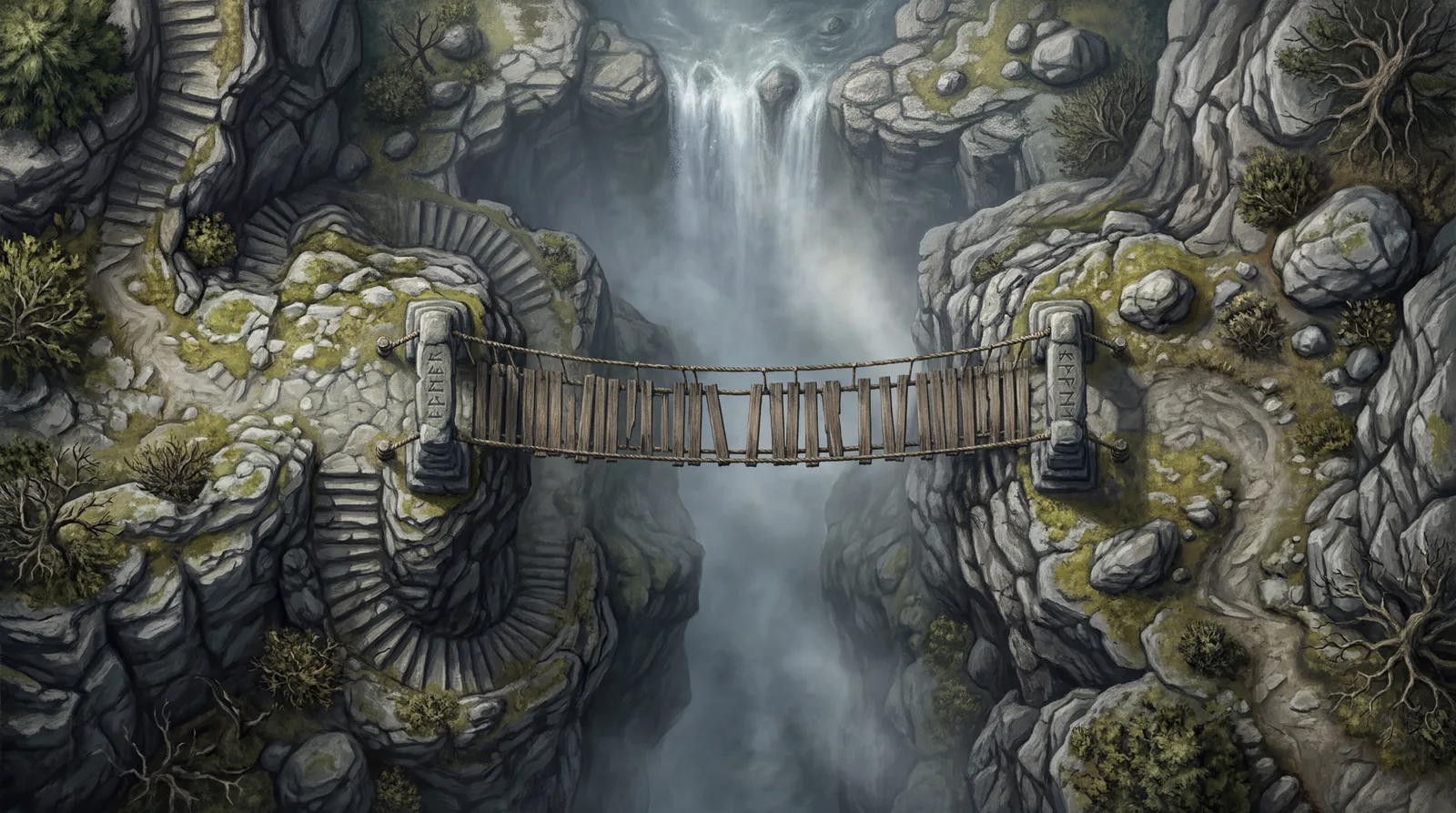
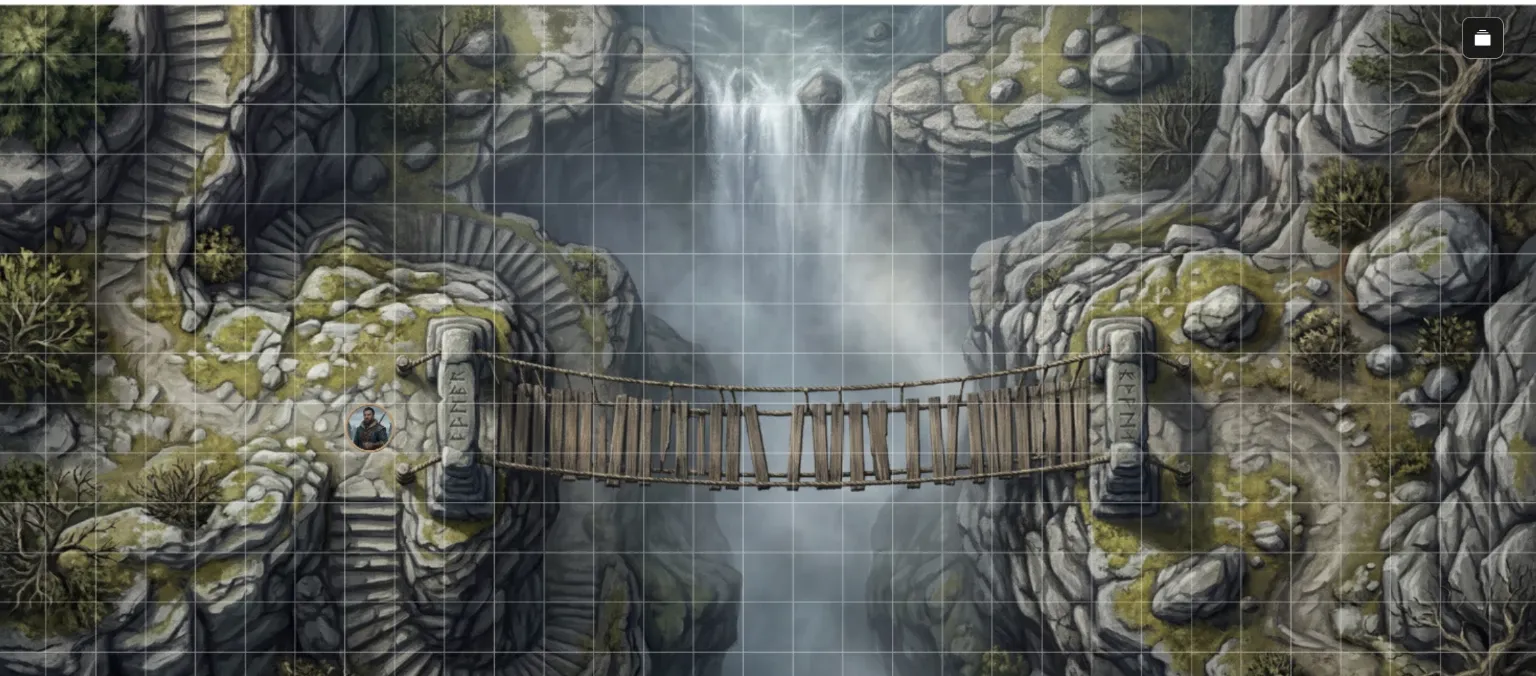
“A narrow rope-and-plank bridge spanning a deep river gorge, anchored to stone pillars carved with worn runes on each cliff edge. A waterfall pours past one end into the mist far below, ledges and switchback stairs descend the cliff faces, and loose planks gap the bridge at its sagging center. Cold morning light cutting through rising spray, wet grey stone and pale green moss.”
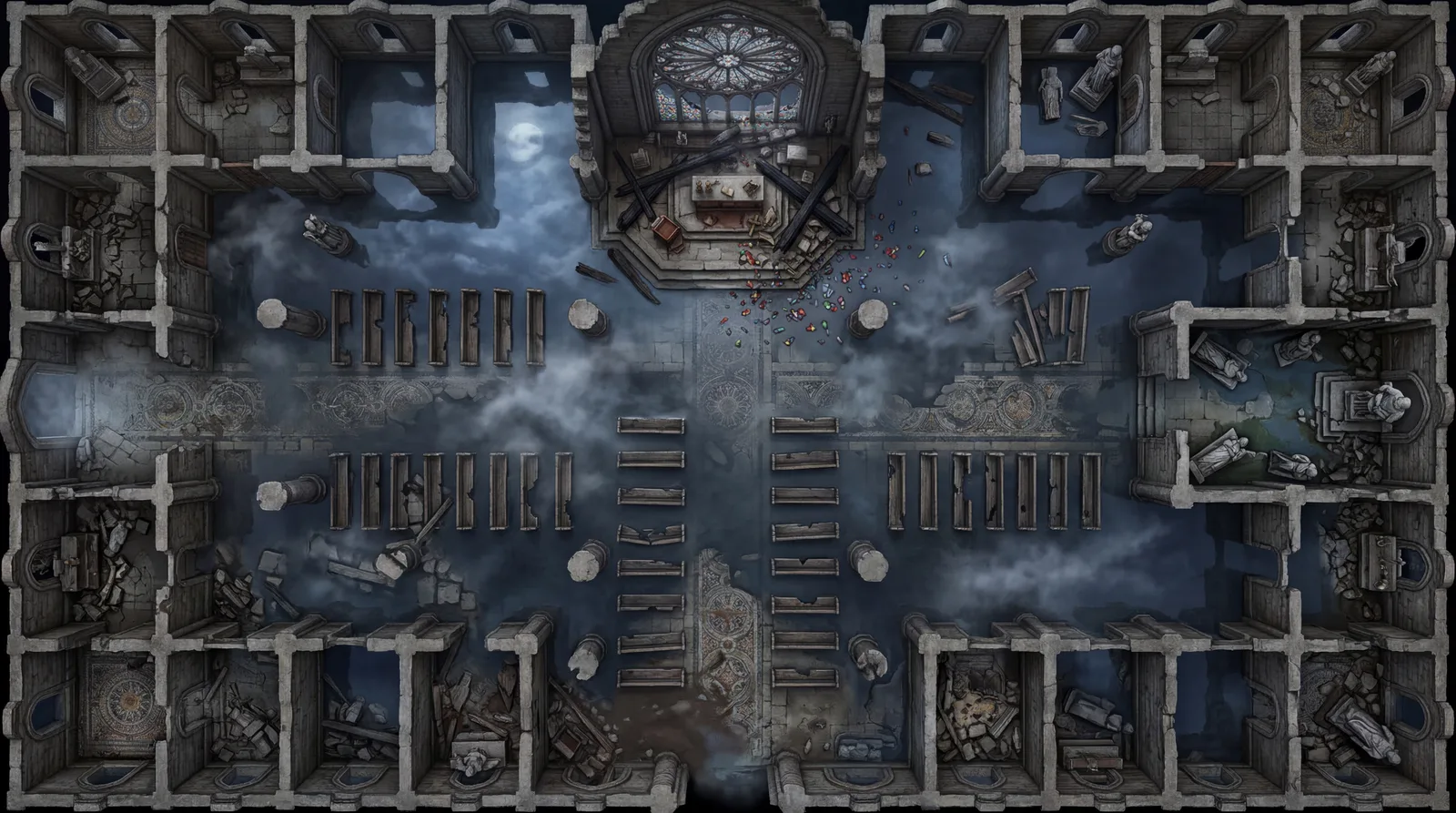
The description
“A ruined stone cathedral with its nave open to the night sky, rows of broken pews rising from shallow floodwater that mirrors the moon. The altar stands on a raised platform at the far end behind fallen roof beams, side chapels and toppled statues offer flanking cover, and a great shattered rose window scatters glass across the flooded floor. Cold blue moonlight with drifting mist, dark stone and silver reflections.”
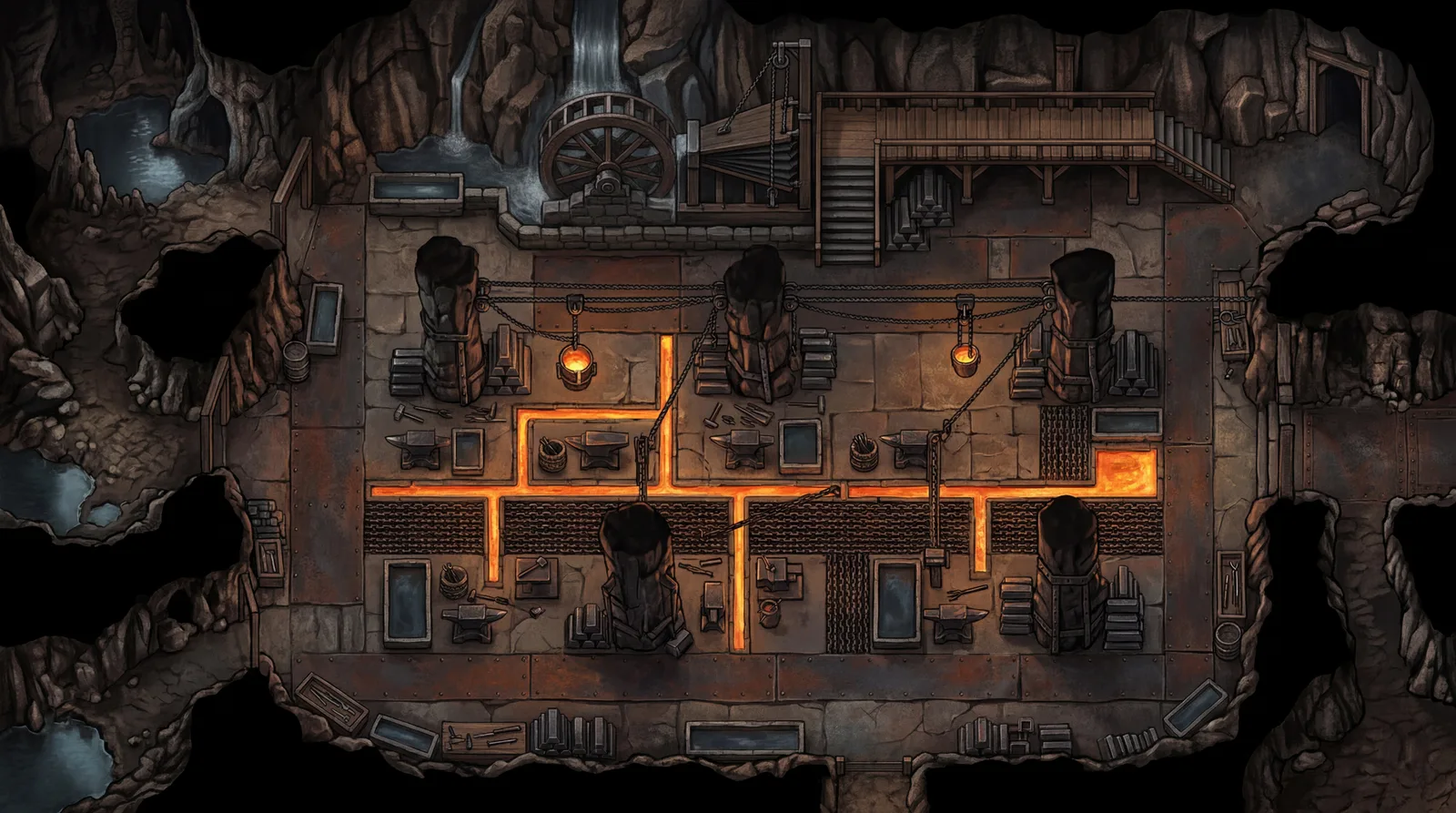
The description
“A colossal underground dwarven forge hall where channels of molten metal run in straight lanes across the stone floor between anvil platforms and cooling troughs. Chain-hung crucibles cross overhead, stacked ingots and massive stone pillars provide cover, and a waterwheel-driven bellows dominates the far wall beside stairs to a raised overseer’s walkway. Intense orange forge-glow against deep shadow, black iron and ember light. Standing floor is a mixture of chainlink and stone. The blacksmithing tools dominate the area. Top down perspective, all assets on map are 2D”
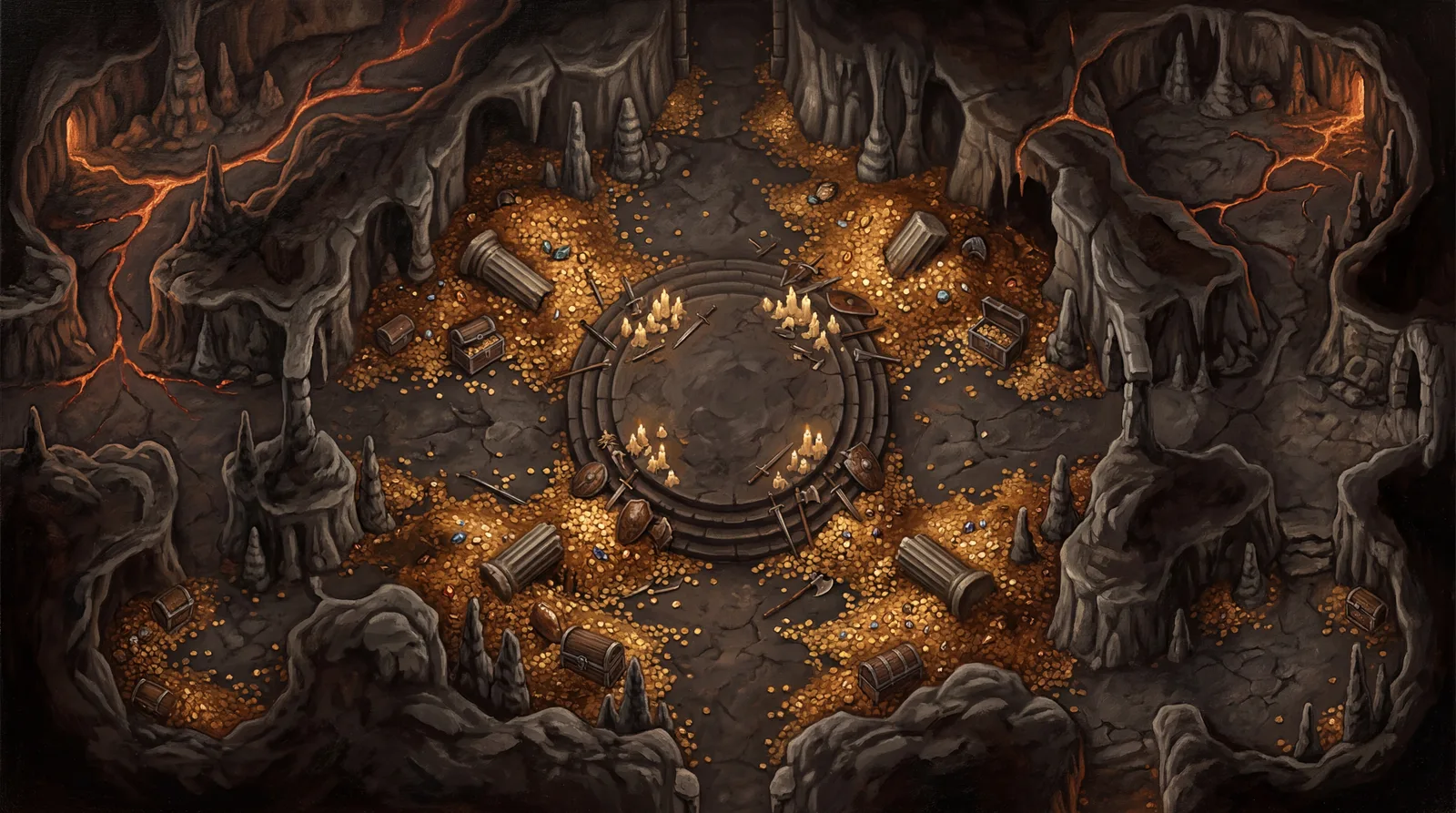
The description
“A vast volcanic cavern where mountains of gold coins, gemstones, and treasure spill across a black stone floor. A massive circular dais rises at the center ringed by melted candles and scattered weapons, broken pillars and half-buried chests offer cover among the coin drifts, and rivers of faint lava glow through cracks along the cavern edges. Warm amber light rising off the gold against deep volcanic shadow.”
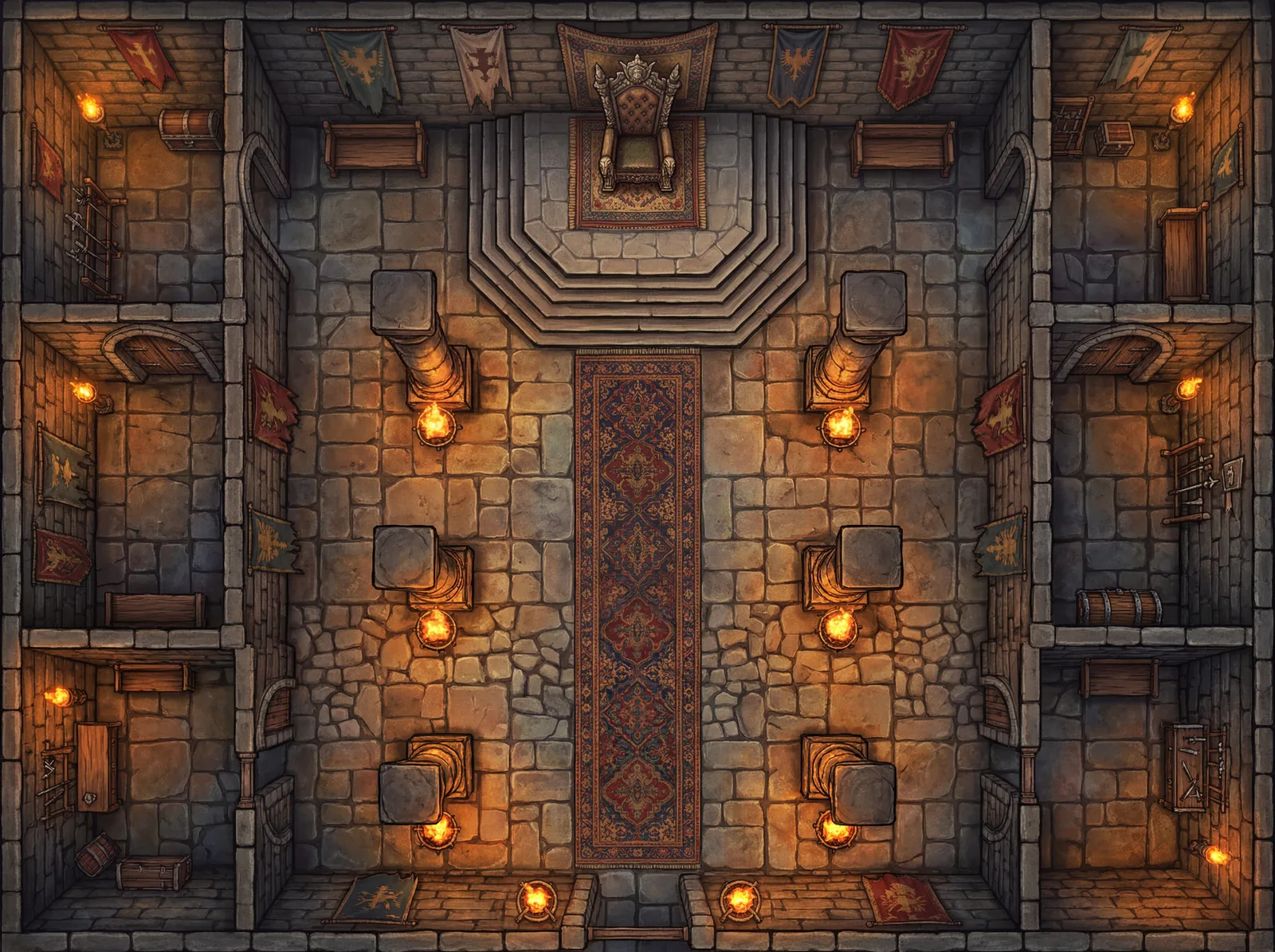
The description
“A grand throne room with a raised stone dais holding an ornate throne at the far end. Two rows of massive pillars line a central carpet walkway, tattered banners hang from the walls, and side alcoves provide flanking positions. Dramatic firelight from braziers at each pillar, warm amber and deep shadow contrasts.”
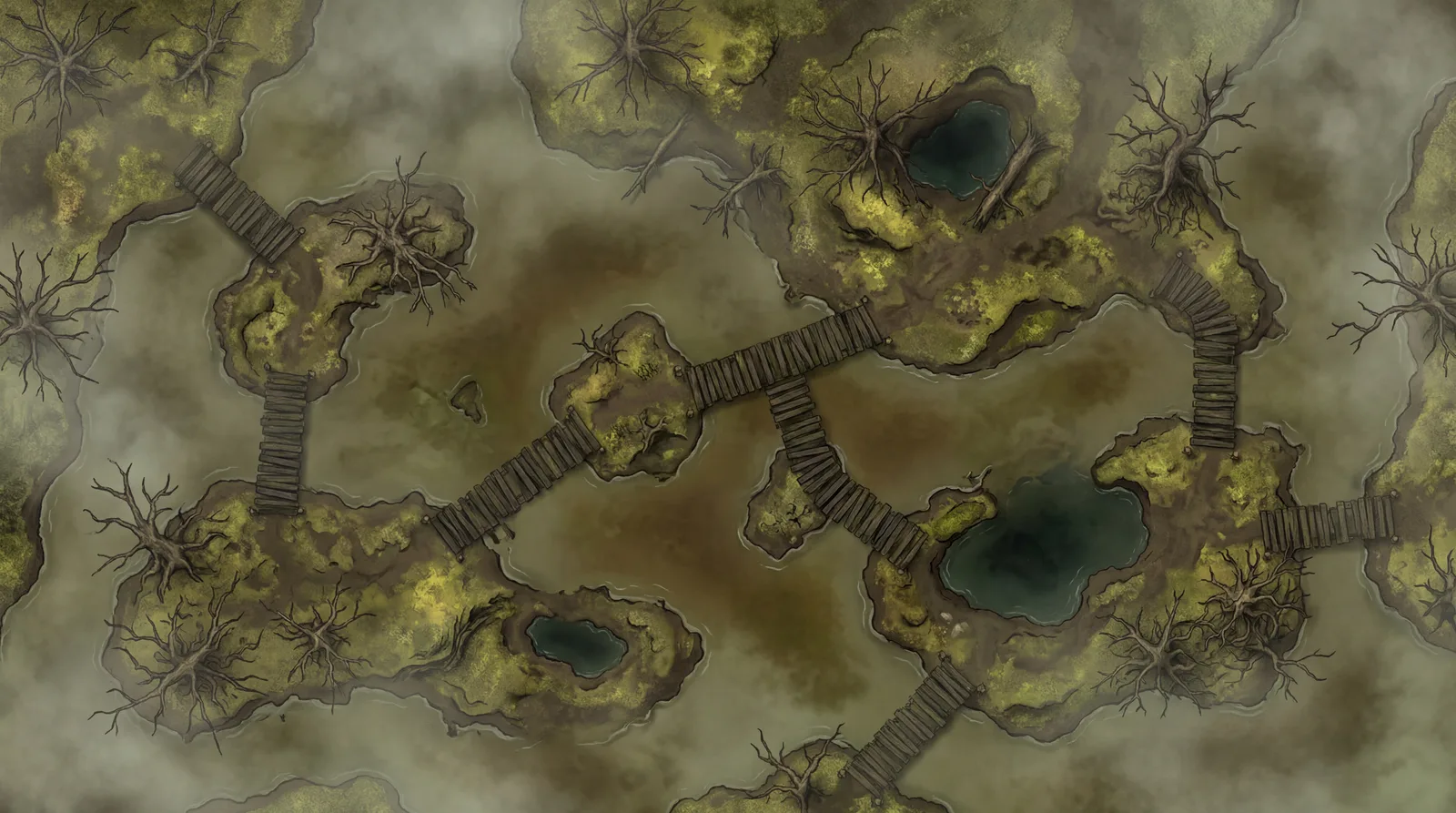
The description
“A murky swamp with patches of shallow brown-green water and muddy islands connected by rotting wooden walkways. Dead trees and tangled roots provide sparse cover, and darker pools mark deep sinkholes and difficult terrain. Thick fog hanging low, muted greens and sickly yellows.”
What a DM does between sessions, and where the maps come from.
Most sessions come down to two to four places the party will stand: the road where the ambush happens, the tavern where the deal goes wrong, the crypt under it. Those are the maps you need. The rest can stay theater of the mind.
Write it the way you’d narrate it: the room, what’s in it, where the light comes from. Pick Wide for the road, Square for the tavern, Tall and Multi-room for the crypt, and 2K so the map holds up when a player zooms in. Three scenes is a few minutes of prep.
Drop each map on its page’s Map & Background layer, set the page size to the shape of the scene, and stretch the map to fill it. Pull tokens in from the Journal onto the Objects & Tokens layer. If the game creator runs Plus or higher, draw walls and light sources on the Dynamic Lighting layer.
Move the player bookmark to the page when the scene starts, reveal it with fog of war, and let the party zoom into the fight without the map going soft. A town or region map works as a Journal handout too, shared with the players while they decide where to go next. Every map stays in your NeedAMap library for the night the party comes back to town.
If you searched for roll20 map size, the two numbers are 70 and 140. Roll20 draws its grid at 70 pixels per square by default and recommends 140 pixels per square when you want maps that hold up to zooming. That second number is the one worth designing around.
A 2K map comes out of NeedAMap at 2048 pixels across. On a scene about 14 squares wide, that works out to roughly 146 pixels per square, just above the recommended detail level, so the map stays sharp when your players zoom into the fight. A 1K map lands around 73 pixels per square at the same width: right at the Roll20 default, and fine for quick prep or theater-of-the-mind sessions that only need a visual anchor.
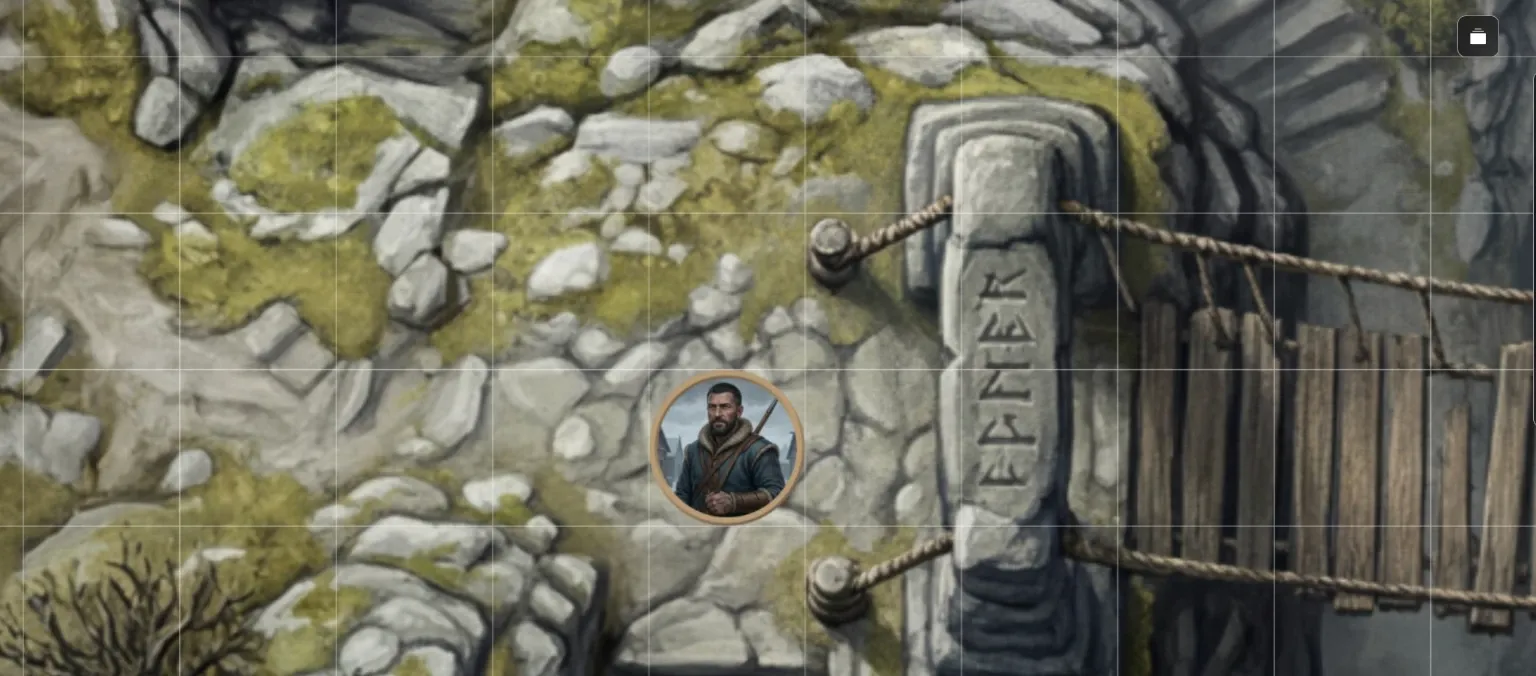
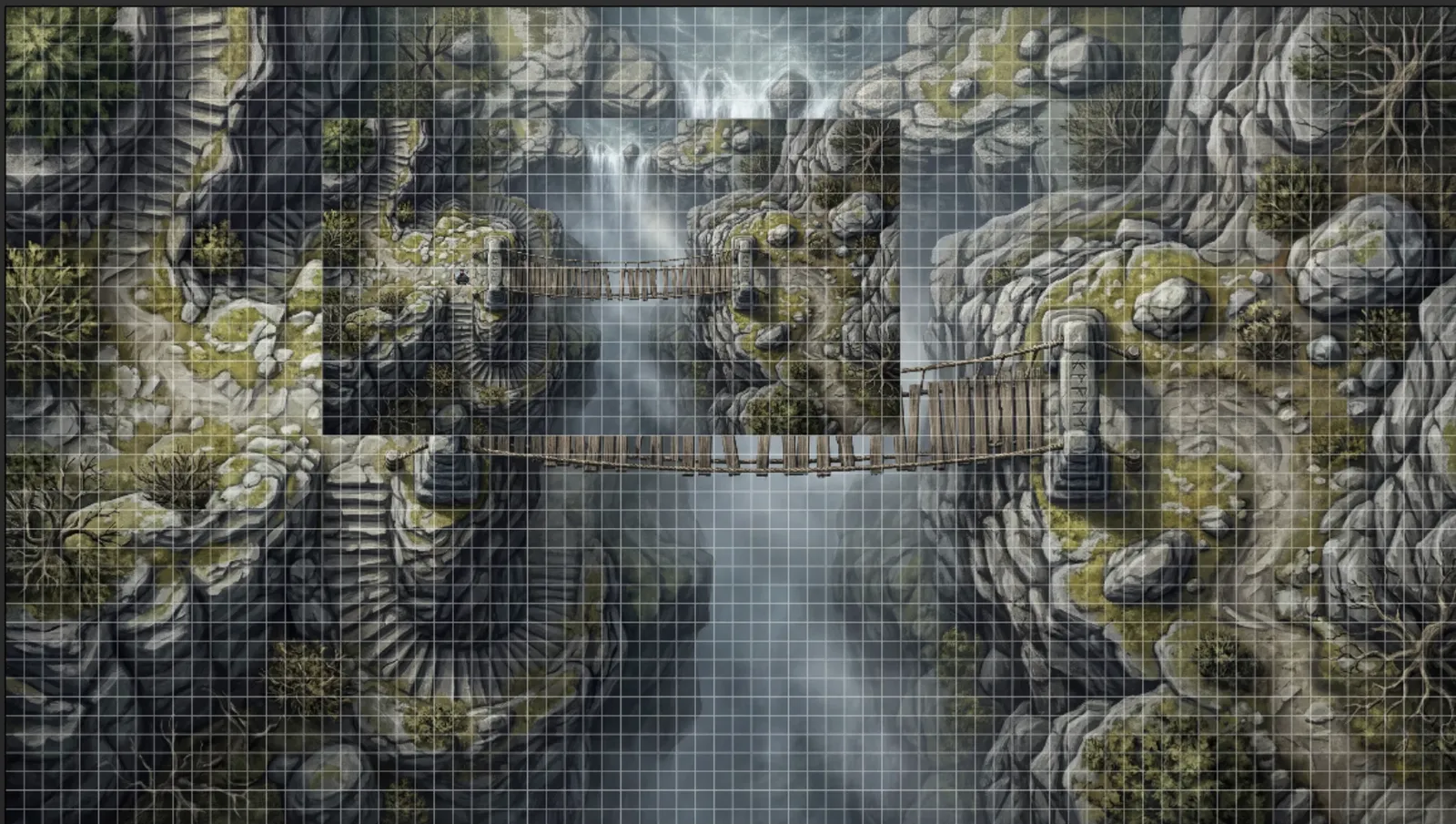
Roll20 places a dropped image at its native pixel size against the 70-pixel grid, so a 2K map lands about 29 squares wide and a 4K map about 58. Stretching it to the page is a normal step for every imported map: set the page to the squares you want, drag the map to fill it, and the default one-square token is the right size on it. The chasm bridge on this page sits well at 14 squares across.
A NeedAMap download is a JPG of about 1.2MB at 2K and about 4.5MB at 4K. Roll20 caps each upload at 20MB on a free account, 50MB on Plus, and 100MB on Pro, so every resolution fits on every tier.
Storage is the number to watch on a free account: 100MB in total. That is roughly eighty 2K maps or twenty 4K maps before you clear old ones, and Plus lifts it to 4GB.
The map downloads as a standard high-resolution image, so there is nothing to convert or install.
Shape matters as much as resolution. A corridor fight or a street chase wants a Wide map. A tower interior or a chasm descent wants Tall. An arena, a tavern brawl, or a single dungeon room sits naturally in Square. NeedAMap generates all of these, plus a Cinematic ratio for set-piece encounters, so the map fits the space you’re running.
Roll20 ships with Dungeon Scrawl, a free tool for sketching dungeon layouts in a hand-drawn style, and its Marketplace sells finished map packs by community artists. If you want a quick line-drawn layout to move tokens on, Dungeon Scrawl is already in your account. If you want a specific piece someone has already painted, the Marketplace has it. If the scene exists only in your notes, NeedAMap draws that scene from your description. The Dungeon Scrawl comparison lays the two side by side.
5 free maps
when you sign up, no credit card
Under a minute
from description to finished map
Credits come back
automatically if a generation fails
Commercial use
allowed on every tier, including free
Roll20 renders its grid at 70 pixels per square by default and recommends 140 pixels per square for detailed maps. A 2K map at about 14 squares wide gives you roughly 146 pixels per square, so it exceeds the recommendation. 1K works for quick prep.
No. The map layer, the grid, page settings, and fog of war are all on the free tier. Dynamic Lighting is a Plus feature, and only the game creator needs the subscription for the whole table to see it.
Roll20 caps each upload at 20MB on a free account, 50MB on Plus, and 100MB on Pro. A NeedAMap 4K map is about 4.5MB and a 2K map about 1.2MB, so both fit on every tier. Free accounts get 100MB of total storage.
Download the map image, switch to the Map & Background layer in Roll20, drag the image onto the page, and stretch it to your page size. Roll20’s grid alignment tool handles any drift. It is a standard image, so it works on every Roll20 tier with nothing to install.
Yes. NeedAMap maps come without grid lines, so Roll20’s grid is the only one on the page and there is nothing for it to disagree with. Set the page size in squares, stretch the map to fill it, and the grid falls into place.
Yes. The map sits on the map layer like any imported image. Draw your walls and light sources on Roll20’s lighting layer on top of it, the same way you would for any map.